
| 일 | 월 | 화 | 수 | 목 | 금 | 토 |
|---|---|---|---|---|---|---|
| 1 | 2 | 3 | 4 | 5 | 6 | 7 |
| 8 | 9 | 10 | 11 | 12 | 13 | 14 |
| 15 | 16 | 17 | 18 | 19 | 20 | 21 |
| 22 | 23 | 24 | 25 | 26 | 27 | 28 |
| 29 | 30 | 31 |
- ColorPicker
- exceldata
- TreeNode
- Calendar
- Expose
- REST
- Schedule
- mendix
- Widget
- daterangepicker
- Excel
- non-persistable
- MariaDB
- externaldatabase
- grid.js
- javaaction
- Java
- react
- Import
- KakaoLogin
- customlogin
- Today
- Total
Mendix개발일지
[Mendix] Java Action으로 Excel데이터 읽기( 미해결 ) 본문
JavaAction을 사용해서 Excel데이터를 불러 오는 작업을 해보고 싶었다…
작업 순서를 정해봤다.
- 화면에서 Excel을 업로드한다.
- JavaAction으로 Excel 데이터를 읽는다.
DomainModel에는 Template라는 기본정보를 담는 Entity와 File정보를 담는 Entity 를 정의했다.
이부분은 ExcelImport의 Entity를 참고했다.
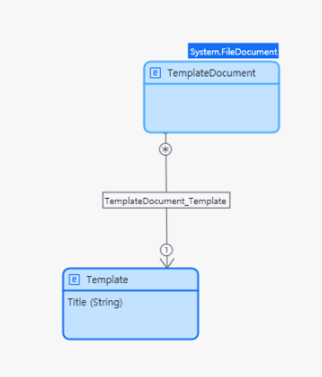
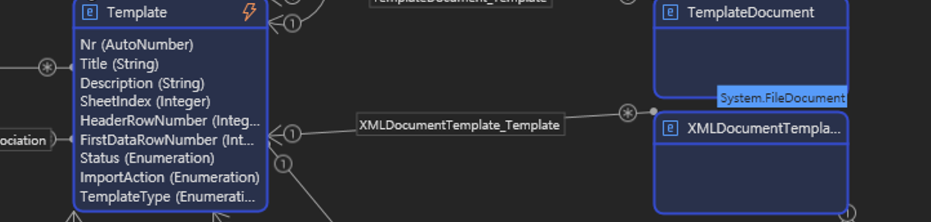
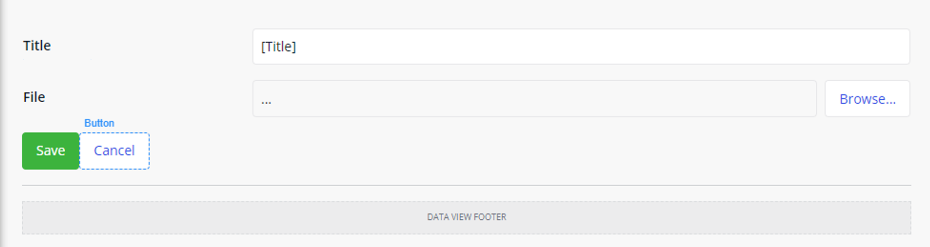
화면은 간단하게 타이틀과 파일을 업로드 할 수 있다.
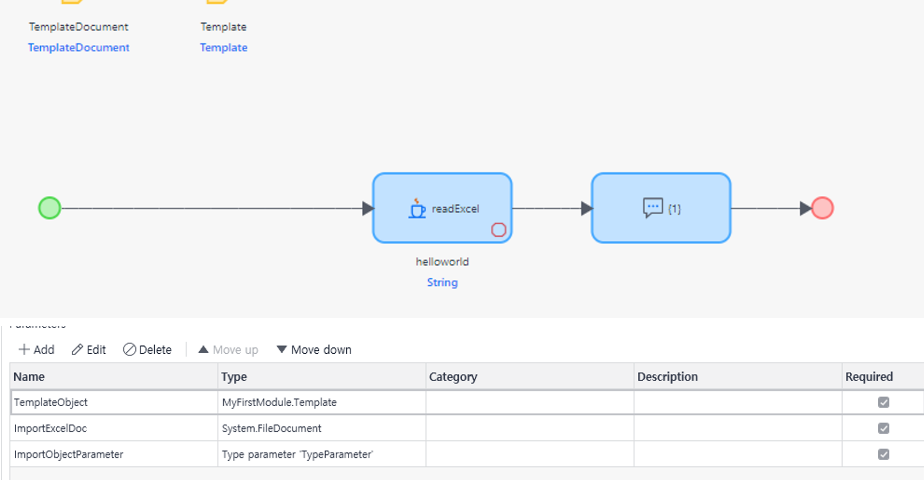
Entity와 화면이 끝났으니 로직을 만들어줄 차례이다. 로직도 간단하게 JavaAction만 추가하고 파라미터 설정을 해주었다. 파라미터 설정도 ExcelImpoter에 있는 파라미터를 참고했다.
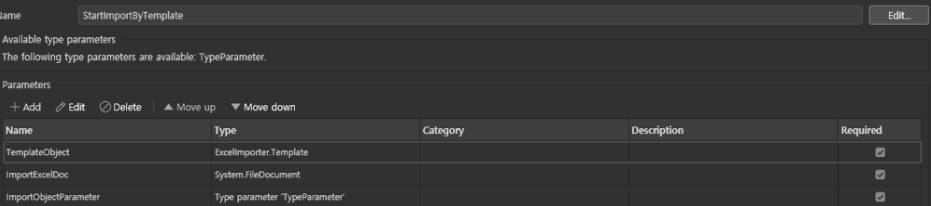
JavaAction생성도 끝났으니 Excel을 읽는 Java소스코드를 작성할 차례이다.
기본적으로 우리가 Mendix의 네비게이션 바에서 App > Deploy for Eclipse 를 하면 파라미터에 맞게 아래처럼 소스코드를 생성해준다.
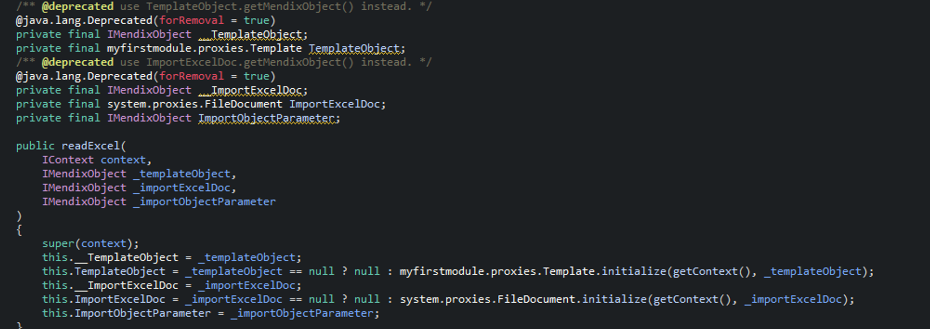
💡 Java에서 Excel을 읽기 위해서 Poi라는 라이브러리를 사용해주었다. 아래 사이트에서 원하는 버전을 다운받을 수 있다. https://archive.apache.org/dist/poi/release/bin/
나는 일단 5.2.2버전을 다운받았다. 다운받고난 후에 JavaProject의 properties 창을 열어 Java Build Path의 Libraries에 Classpath에 AddExternalJARs를 사용해 추가했다…
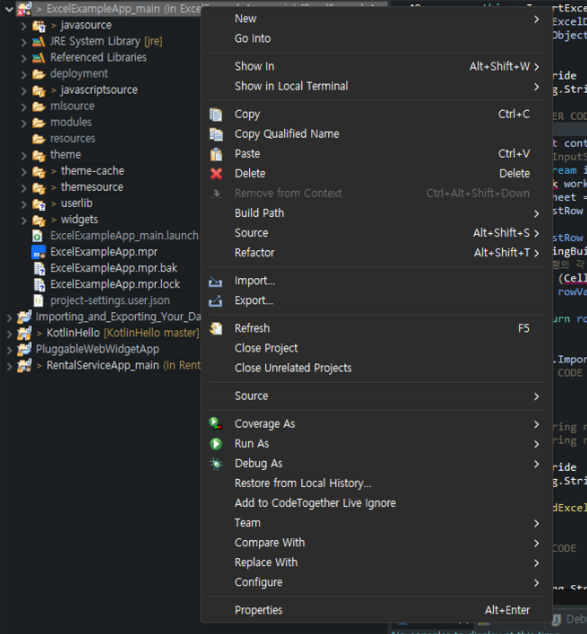
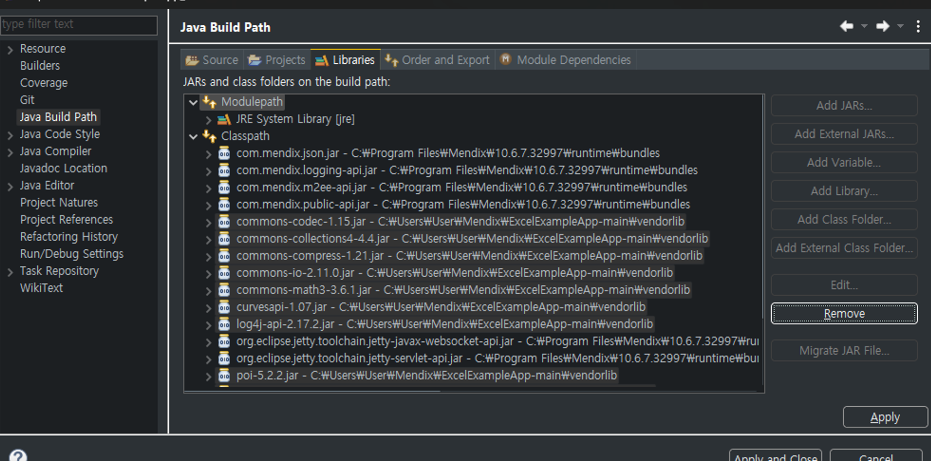
그리고나서 Mendix로 돌아와서 다시한번 동기화를 위해 delpoy for eclipse를 해주었다.
delpoy for eclipse를 해서 동기화 후 Properties를 확인해보면 x 표시때문에 잘못 되었다는 거를 알 수 있다… AddExternalJARs을 할 때는 제대로 된 것같았는데…??? 경로를 보면 \\[ProjectName]\\[folder]\\[JarFile] 처럼 되어있는데 경로때문에 오류가나는거 같아서 Classpath를 직접 수정해보기로 했다.
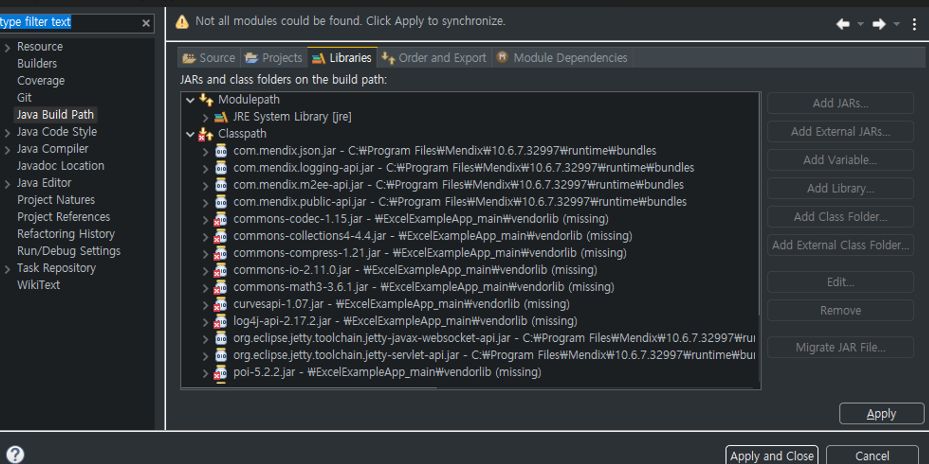
classpath파일에는 문제가없는데… 그냥 프로젝트를 Refresh해주니 오류가 사라졌다…
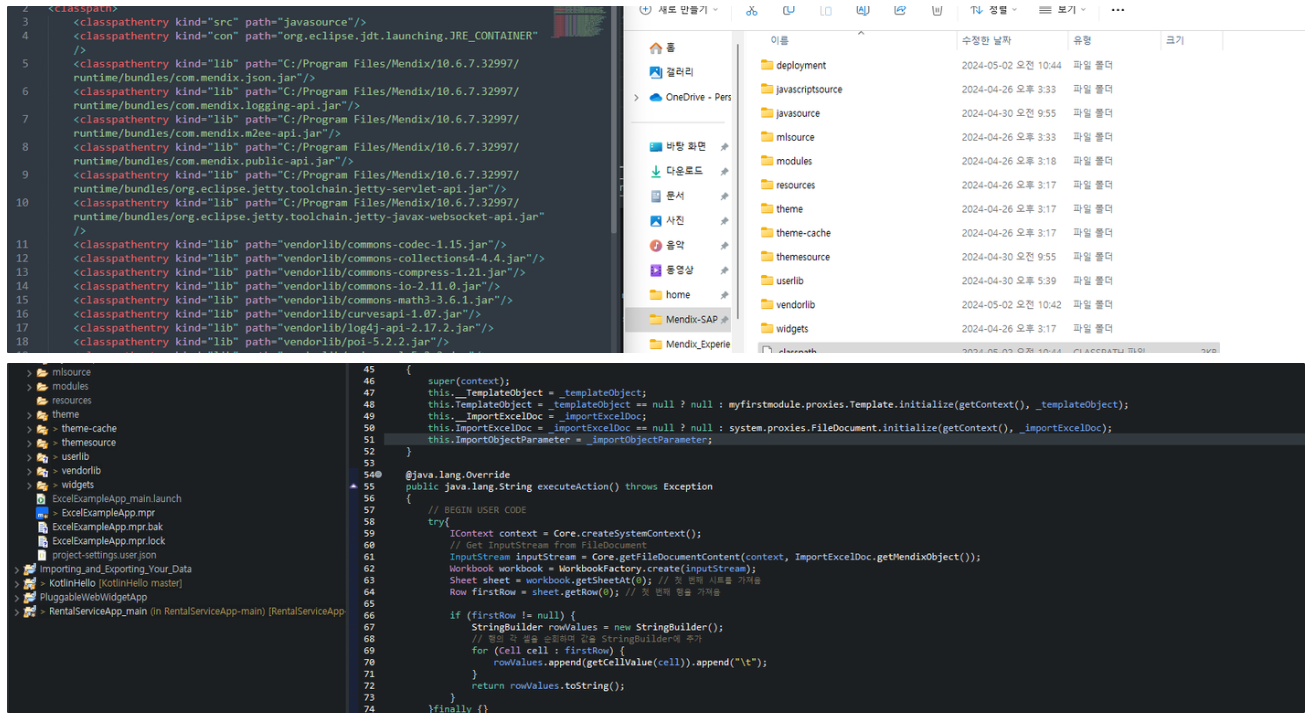
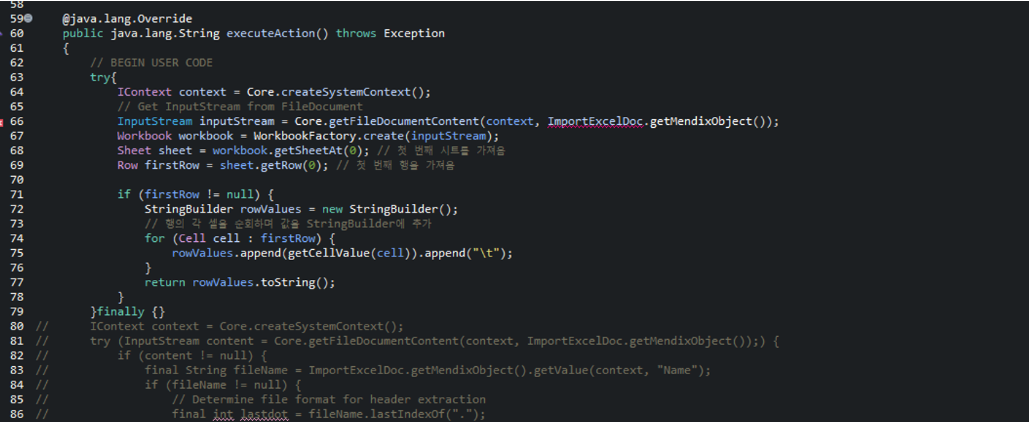
자바소스를 보면Mendix에서 FileDocument의 inputStream을 가져온다.
이 부분은 Mendix에서 이렇게 사용하는데 이부분은 ExcelImport위젯의 Java소스를 참고했다…
( 소스코드는 아래에 있다. ) 그리고 Workbook workbook = WorkbookFactory.create(inputStream); 이부분 부터 Excel을 읽는 코드의 시작이다.
	@java.lang.Override
	public java.lang.String executeAction() throws Exception
	{
		// BEGIN USER CODE
		try{
	        IContext context = Core.createSystemContext();
	        InputStream inputStream = Core.getFileDocumentContent(context, ImportExcelDoc.getMendixObject());
            Workbook workbook = WorkbookFactory.create(inputStream);
            Sheet sheet = workbook.getSheetAt(0);
            Row firstRow = sheet.getRow(0);

            if (firstRow != null) {
                StringBuilder rowValues = new StringBuilder();
                for (Cell cell : firstRow) {
                    rowValues.append(getCellValue(cell)).append("\\t");
                }
                return rowValues.toString();
            }
        }finally {}
		return this.ImportExcelDoc.getName();
		// END USER CODE
	}
MendixJava문서 쪽을 참고해도 되는데 예제가 필요해서 위젯에서는 어떻게 사용하고 있는지 보니 아래처럼Core.getFileDocumentContent을 사용해서 content 가져오는 것을 확인했다.
💡 ExcelImport위젯을 분석해보면서 느낀거지만 깊게 이해하려고 한다면 하나를 만들어 보는 것과 같을정도로 분석을 해봐야된다 라는 생각이 들었다… 그이유가 Mendix의 domainModel에도 영향을 받는 소스코드들이 많고, Mendix의 Core기능을 사용하는 것들도 많기때문이다…
	/**
	 * Import the file document using the template from the parameter
	 *
	 * @param context
	 * @param template
	 * @param templateDocument
	 * @param parentObject the object to which the objects to be imported, must be associated.
	 */
	public static long startImport(IContext context, IMendixObject template, IMendixObject templateDocument, IMendixObject parentObject) throws CoreException {
		if (template == null)
			throw new CoreException("Template not found!");

		try (InputStream content = Core.getFileDocumentContent(context, templateDocument);) {
			if (content != null) {
				final String fileName = templateDocument.getValue(context, "Name");
				if (fileName != null) {
					// Determine file format for header extraction
					final int lastdot = fileName.lastIndexOf(".");
					if (lastdot < 0)
						throw new CoreException("Found file has no extension to derive format from.");

					final String extension = fileName.substring(lastdot).toLowerCase(Locale.ROOT);

					if (".xls".equalsIgnoreCase(extension) || ".xlsx".equalsIgnoreCase(extension) || ".xlsm".equalsIgnoreCase(extension)) {
						final ExcelReader reader = new ExcelReader(context, template);
						return reader.importData(context, templateDocument, template, parentObject);
					} else {
						throw new CoreException("The extension: " + extension + " is not supported.");
					}

				} else
					throw new CoreException("No valid filepath found from template");
			}
		} catch (Exception e) {
			throw new CoreException(e);
		}
		return 0L;
	}
모든 준비가 돼서 Mendix를 실행시켜보았다. 실행은 정상적으로 된다!!
정상적으로 작동은 하나… JavaAction에서 문제가난다… 그래서 ExcelImport의 jar을 그대로 가져와서 사용해봐도 오류가 나서…
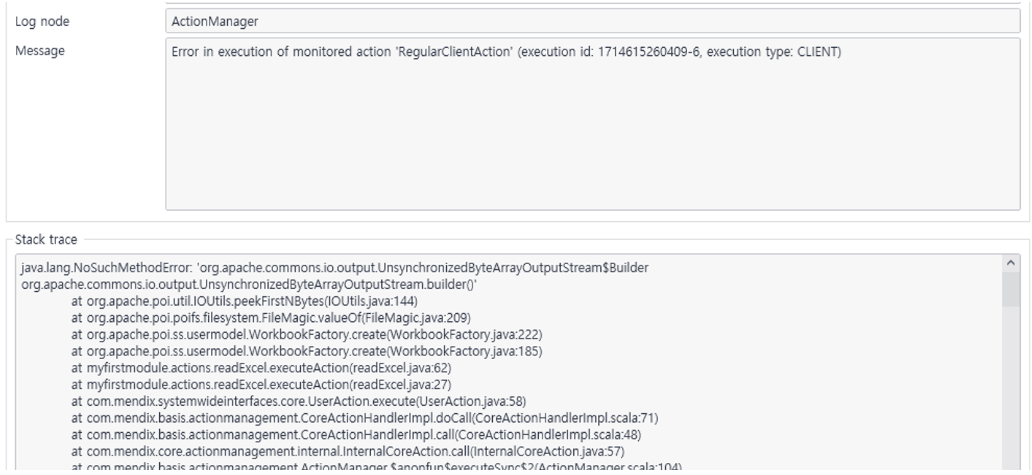
구글링을 해보니 버전문제라고 해서 설치된 commons-io-2.11.0.jar → commons-io-2.14.0.jar 로 버전업을 해주고 다시 해보았다.
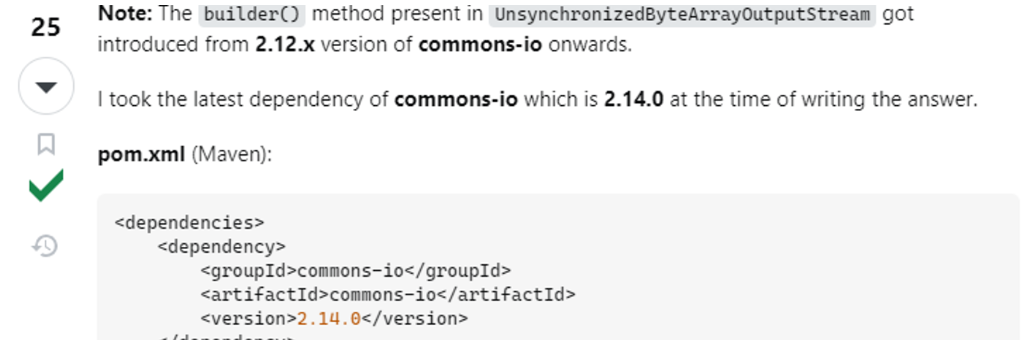
하지만 역시나 안됐다… 그리고 뭐만했다하면 수정한 것도 없는데… 오류가 난다…
💡 추가사항
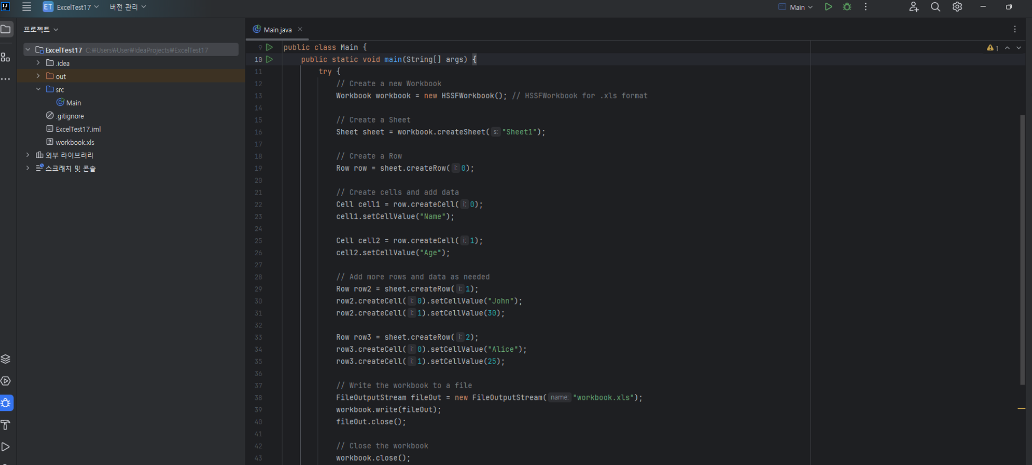
IntelliJ에서 Java17로 똑같이 했더니 잘만 돌아간다… 왜 Mendix에서만 안되는걸까??
혹시나 해서 Mendix Forum에 질문을 남겨보니까... 답변을 해준대로 진행해도 역시나 안됐다...ㅠ
[JavaAction] Error reading Excel using Poi | Mendix Forum
[JavaAction] Error reading Excel using Poi 0 mendix version 10.6.7 I wanted to read Excel data using JavaAction and Poi. So, I put the poi and other dependency library files in the userlib folder, wrote the source code, and executed it, but I encountere
community.mendix.com
'Mendix' 카테고리의 다른 글
| [Mendix] Calendar (DateRangePicker, ColorPicker) (0) | 2024.05.14 |
|---|---|
| [Mendix] Kakao Login( 미해결 -> 해결 ) (1) | 2024.05.14 |
| [Mendix] mariadb 연동 및 Web에서 데이터 확인 (1) | 2024.05.14 |
| [Mendix] React TreeNode (0) | 2024.05.14 |
| [Mendix] TreeNode (0) | 2024.05.14 |


